

Construction
Showing all 2 results
-
Clearance
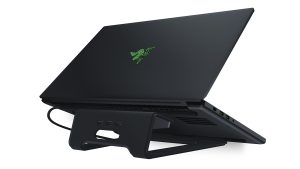
Razer Laptop Stand Chroma: Customizable Chroma RGB Lighting – Ergonomic Design – Anodized Aluminum Construction – 3X Port USB 3.0 Hub – Matte Black
 Clearance
Razer Laptop Stand Chroma: Customizable Chroma RGB Lighting – Ergonomic Design – Anodized Aluminum Construction – 3X Port USB 3.0 Hub – Matte Black
● Ultimate Personalization and Gaming Immersion with Razer Chroma: Offers effortless, full integration with popular game titles and syncs with Razer hardware, Philips Hue, and gear from 30+ partners; supports 16.8 million colors on individually backlit keys
● Designed for Optimal Cooling: An open design underneath the laptop helps with unrestricted airflow, keeping laptops cool not thermal throttling
● Durable, Aluminum Construction: Built to last with the same, high-quality, anodized CNC aluminum design as the Razer Blade family of laptopsSKU: B07D968FTL -
STEM Toys
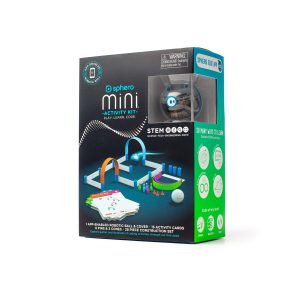
Sphero Mini Activity Kit: App-Enabled Programmable Robot Ball with 55 Piece Construction Set – STEM Educational Toy for Kids Ages 5 & Up
 STEM Toys
Sphero Mini Activity Kit: App-Enabled Programmable Robot Ball with 55 Piece Construction Set – STEM Educational Toy for Kids Ages 5 & Up
● FUN-FILLED HANDS-ON LEARNING: The Sphero Mini Activity Kit has everything you need to get rolling and playing. Each Kit comes with a clear-shelled Sphero Mini robotic ball, Construction Set, Activity Cards, Bowling Pins, and Cones to build mazes, design obstacle courses, construct towers, play croquet, and more.
● DRIVE MODE: Control your robot toy any way you like with the Sphero Play app. Drag and drive with Joystick mode, pull back and release with Slingshot mode or tip and rotate your mobile device with Tilt mode. Use the rails, arches and connector pieces to open up unlimited construction possibilities for driving and playing.
● PLAY GAMES: Use Sphero Mini as a game controller for arcade-style games in the Sphero Play app. Perfect for playing on the go or with limited space. Get even more creative by following the guided challenges and games on the Activity Cards to inspire your creativity and test your skills.
● LEARN TO CODE: Use the Blocks drive mode to give your coding robot basic drag and drop coding commands. Looking for more of a challenge? Download the Sphero Edu app for more ways to program your educational bot, including JavaScript and Swift.
● INSPIRING THE CREATORS OF TOMORROW: Founded in 2010, we set out to redefine creative play experiences with the original Sphero app-enabled robot ball. Now, with our undeniably cool fleet of programmable robots and educational tools, we’re inspiring a new generation through hands-on applied learning of coding, science, music and the arts.SKU: B07RDS2JJX